01
Voucher-linked documents
Attach invoices, receipts and supporting files using company, financial year, voucher type and voucher number.

102, Sishubagan, Raniganj
Dist.- Burdwan
Pin 713347 (W.B.)
+91 9531536407
info@asaptech.net
SyncNSafe, formerly VoucherDocs, is a Windows application from ASAPTech IT Solutions Pvt Ltd that helps businesses attach, organize, store and retrieve invoices and supporting documents for Tally vouchers—locally and, when enabled, in Google Drive.
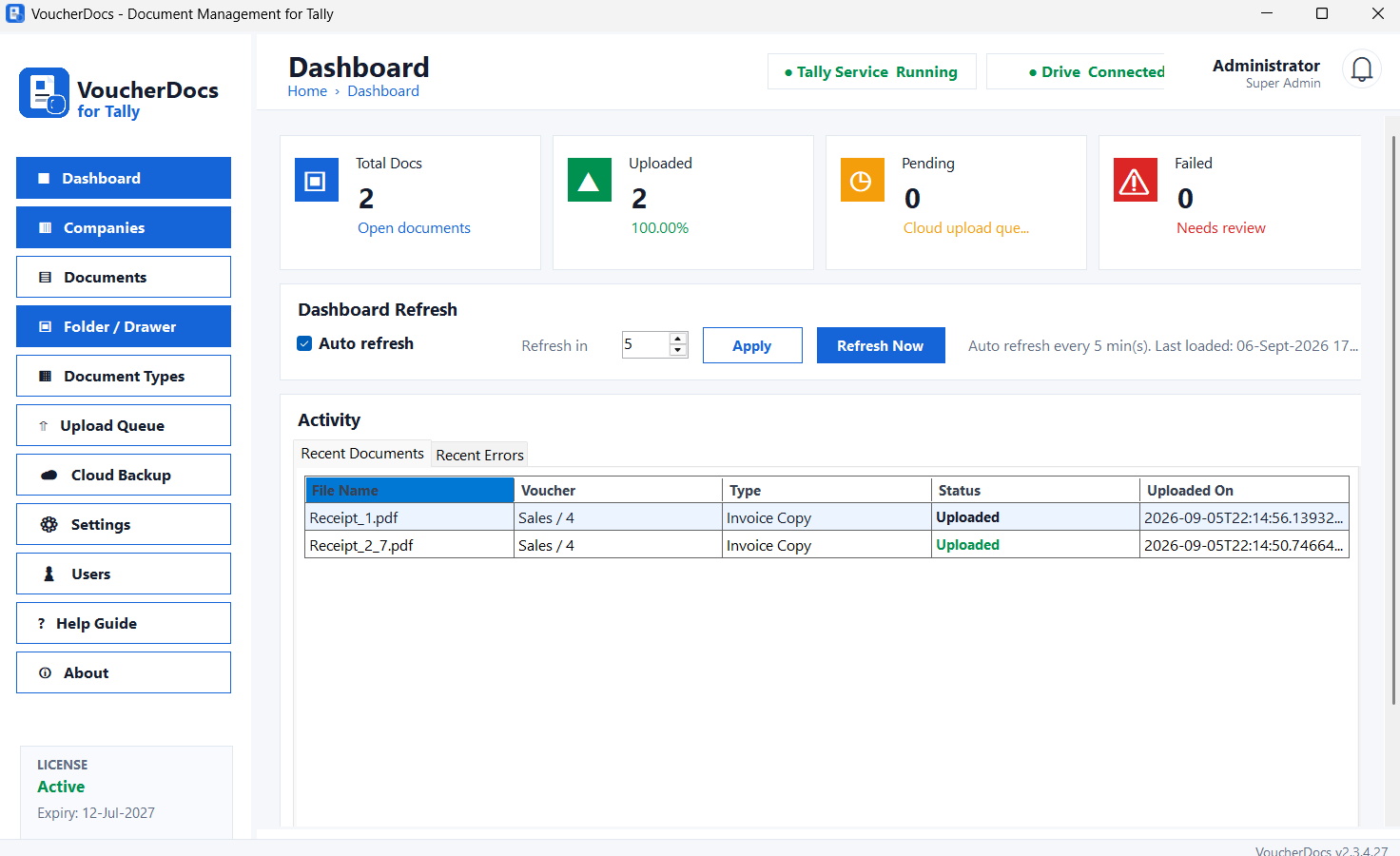
SyncNSafe connects voucher information with its supporting file, giving your team a consistent structure without manually creating folders and renaming documents.
Attach invoices, receipts and supporting files using company, financial year, voucher type and voucher number.
Keep documents available on your organization’s Windows computer or shared storage, according to your configured storage location.
Connect a Google account to upload application-managed documents and configured database backups to Google Drive.
SyncNSafe creates a predictable folder structure and records file identifiers, checksums and document metadata.
A local Windows service processes document jobs and uploads without requiring users to keep a browser open.
Administrators can see the connected Google account, test the connection, reconnect it or disconnect it from Settings.
Google Drive is optional. SyncNSafe requests the limited drive.file permission so it can create and manage files used by SyncNSafe, instead of requesting unrestricted access to every file in the account.
SyncNSafe opens Google’s authorization page in the default system browser.
The user signs in directly with Google and reviews the requested permission. SyncNSafe never receives the Google password.
SyncNSafe creates and manages its designated Drive folders and uploads documents processed by the application.
The administrator can remove the stored authorization from SyncNSafe Settings and can also revoke access from the Google Account.
Authentication happens on Google’s own sign-in page.
The OAuth refresh token is protected on the installed Windows machine using Windows Data Protection.
Google user data is used only to provide the visible SyncNSafe Drive functionality.
Quick answers about how SyncNSafe, formerly VoucherDocs, manages supporting documents for Tally vouchers.
SyncNSafe, formerly VoucherDocs, is an ASAPTech solution for attaching, organizing, storing and retrieving supporting documents related to Tally vouchers so users can keep voucher evidence connected to the accounting workflow.
SyncNSafe supports managed local document storage and can also use optional Google Drive backup when that storage option is configured.
No. SyncNSafe complements Tally by managing the supporting document layer around vouchers. Tally remains the accounting system while SyncNSafe helps users locate the related files.
SyncNSafe is useful for businesses that need invoices, receipts, approvals, scans or other supporting files to remain easy to retrieve alongside the corresponding Tally voucher workflow.
SyncNSafe, formerly VoucherDocs, adds a practical document-management layer around Tally vouchers so invoices, receipts, approvals, scans and other supporting files stay connected to the accounting workflow instead of being scattered across folders and devices.
Keep PDFs, scanned invoices, receipts, approvals and other evidence associated with the relevant voucher workflow so users can retrieve the supporting document when it is needed.
SyncNSafe supports managed local document storage with optional Google Drive backup, giving businesses an additional cloud copy of supporting files when that backup option is configured.
Reduce dependence on paper files and manually named folders by organizing supporting documents around Tally voucher information and making document retrieval part of the accounting process.
Use local document storage for day-to-day access while maintaining a backup workflow for important supporting files. This helps businesses keep voucher documentation structured and easier to recover.


