01
Reusable import templates
Prepare a mapping once and reuse it for recurring business formats instead of rebuilding the process every time.

102, Sishubagan, Raniganj
Dist.- Burdwan
Pin 713347 (W.B.)
+91 9531536407
info@asaptech.net
Excel Utility helps accounts and implementation teams standardize recurring Excel-to-Tally imports with reusable templates, validation, pre-checks and clear import tracking.
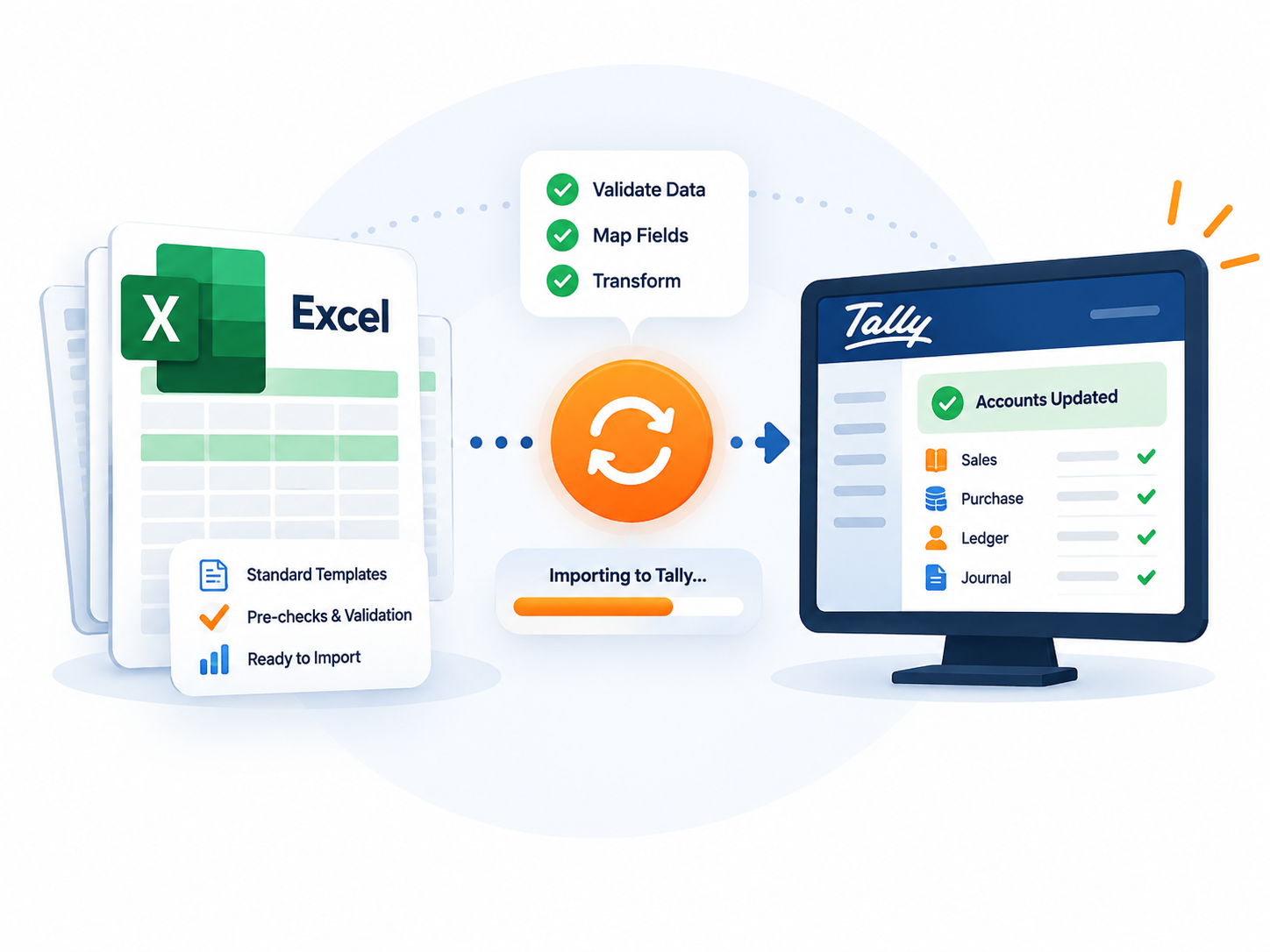
Use one structured workflow for the Excel formats your business receives again and again.
Prepare a mapping once and reuse it for recurring business formats instead of rebuilding the process every time.
Review important data and master requirements before committing the import to Tally.
Use separate templates and row-level rules for different transaction types and operating needs.
Keep the import process transparent with clear status and result visibility for the team.
Browse actual Excel Utility screens from setup through import review.

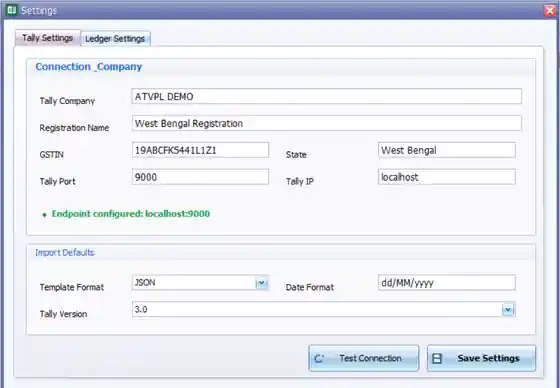
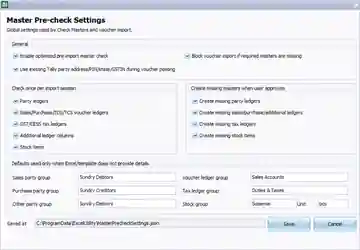
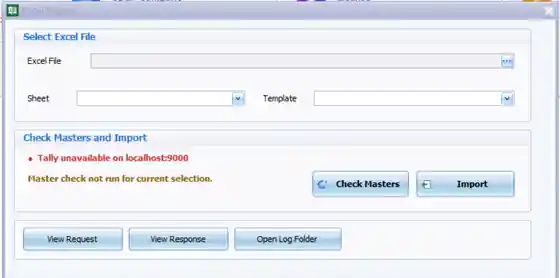
A practical process your team can repeat without turning every spreadsheet into a new project.
Start with the workbook and business format you want to process.
Apply the reusable template designed for that workflow.
Review important masters and data conditions before posting.
Complete the import and inspect the result before moving on.
Excel Utility supports recurring Excel to Tally import processes where teams need reuse, accuracy and clear control over posting.
Use reusable templates for repeated sales, purchase, master and other structured business data imports.
Review important masters, required fields and data conditions before information reaches Tally.
Handle separate business formats with their own reusable workflow instead of rebuilding the import every time.
Cut repeated data entry and improve consistency when the same business process happens frequently.
Keep status and outcomes visible so accounts and implementation teams can review what happened.
Can Excel data be imported into Tally? Can a template be reused? Can data be checked before posting? Excel Utility is designed around these recurring needs.
Share a sample format and discuss the business workflow with ASAPTech.
Discuss Your Requirement