Accounting
Ledgers, vouchers, reconciliation and financial statements for day-to-day accounting control.

102, Sishubagan, Raniganj
Dist.- Burdwan
Pin 713347 (W.B.)
+91 9531536407
info@asaptech.net
Get practical guidance for TallyPrime licensing, setup, migration, business configuration, training and ongoing support — with an implementation approach built around how your team actually works.
Keep the detail available, but make the decision path easier to scan. These six areas summarize the capabilities most businesses evaluate first.
Ledgers, vouchers, reconciliation and financial statements for day-to-day accounting control.
Track stock items, orders, godowns, transfers and inventory movement across business operations.
Support GST invoicing, returns, e-Way Bill workflows and reconciliation from the same accounting environment.
Maintain employee information, salary processing and related statutory workflows where required.
Review financial and operational reports with drill-down visibility for faster business decisions.
Use role-based controls and disciplined backup practices to protect important business information.
Instead of pushing a license first, start with users, locations, access requirements and the way accounting work is shared.
For a focused accounting setup where one user works with TallyPrime at a time.
For teams that need concurrent access and shared accounting operations.
For businesses that need a practical route to working with Tally from outside the office.
For businesses planning more users, locations, controls or connected workflows.
Not sure which setup fits? Tell us how many users and locations you have and how they need to work. Discuss your requirement →
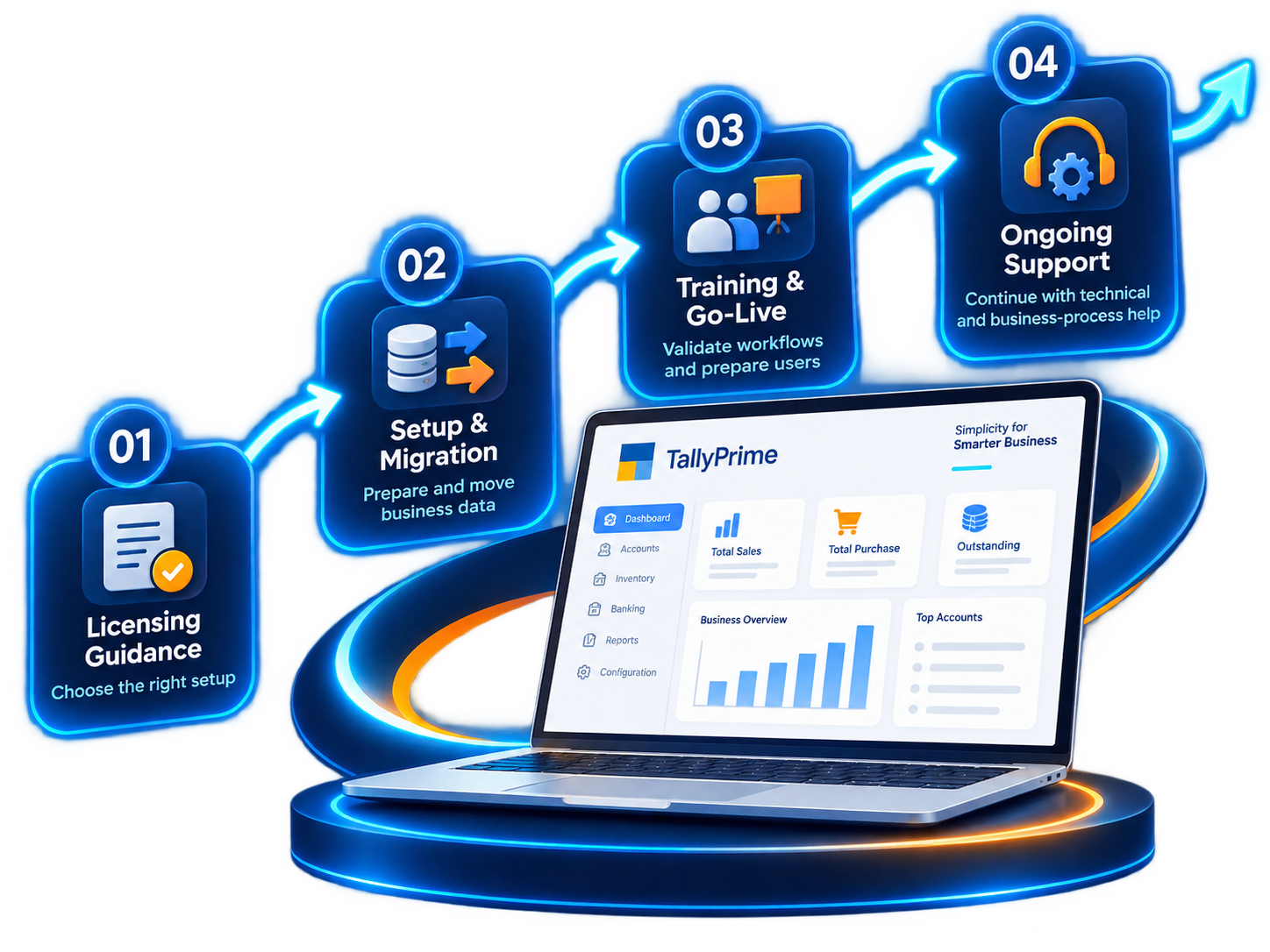
A visible implementation path helps users understand what happens after they choose TallyPrime.
Understand users, companies, locations, inventory and current processes.
Prepare the right operating setup for the agreed business requirement.
Set up masters, taxation and required business data with validation.
Prepare users and test the workflows that matter in daily operations.
Continue with troubleshooting, improvements and business-specific help.
The useful difference is what happens around TallyPrime: selecting the setup, configuring it properly, adapting workflows, connecting systems and supporting users after go-live.
Start from users and business workflow before deciding the setup.
Configure TallyPrime around the way the business actually records and reviews transactions.
Support the movement of required data and connect Tally with other business systems where needed.
Keep the implementation useful as users, compliance needs and processes evolve.
Use TallyPrime as the core and connect the specialist services and add-ons needed around it.
Adapt screens, reports and workflows for business-specific requirements.
Explore customizationConnect ERP, applications and other business systems with Tally workflows.
Explore integrationPlan remote access to Tally for teams that need to work beyond the office.
Explore cloudExtend everyday workflows with ASAPTech products such as VoucherDocs and Excel Utility.
Explore solutionsIt depends on how many people need to work concurrently, where they work from, and how the accounting process is shared. We recommend starting with the requirement rather than the license label.
Yes. Migration planning should start by identifying the current system, the business data that must move and the validation checks needed before go-live.
ASAPTech works with Tally customization for cases where standard behavior needs to be extended for business-specific screens, reports or processes.
Integration can be planned when another system needs to exchange masters, transactions or status information with Tally. The exact approach depends on the source system and workflow.
Common questions about licensing, implementation and migration to TallyPrime.
TallyPrime is business management and accounting software used for accounting, inventory, taxation and related operational workflows.
Yes. ASAPTech can assist with licensing, installation, configuration, migration, user setup, training and business-specific implementation support.
In many cases existing Tally data can be migrated or upgraded, but compatibility, version path, backup and any custom TDL should be reviewed before the change.
Yes. Business-specific reports, print formats, validations, workflows and integrations can be added where appropriate through TDL or connected applications.
